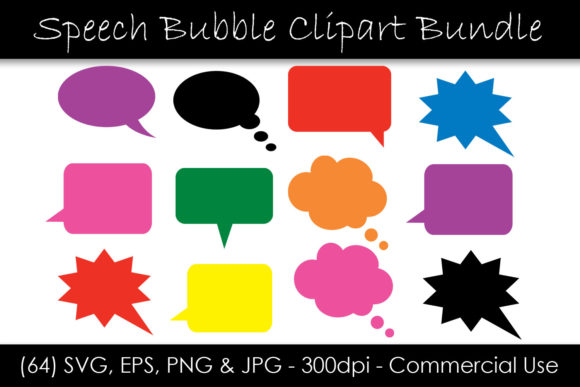
Speech Bubble Clipart - Solid Colors
Speech Bubble Clipart - Solid Colors is a versatile design resource that offers creators and professionals a wide range of visual elements to enhance their projects. This collection includes 64 distinct speech bubble files, each available in four formats: SVG, EPS, JPG, and PNG. The variety of colors and design choices makes it ideal for use across multiple platforms and workflows.
Understanding the Components of the Bundle
The bundle consists of solid color speech bubbles in eight different colors, combined with eight unique design variations. This results in a total of 64 separate files. Each file format serves a specific purpose:
- SVG files are scalable vector graphics, making them perfect for high-resolution printing or web use without losing quality.
- EPS files are suitable for professional print work and can be edited in most vector-based software.
- PNG files provide transparent backgrounds, which are great for digital projects where the background needs to be dynamic.
- JPG files are compressed images that are efficient for web publishing and standard print applications.
This diversity ensures compatibility with various design tools and output requirements, whether you're working on a marketing campaign, educational material, or personal project.
Integrating Speech Bubble Clipart into Your Workflow
Incorporating Speech Bubble Clipart - Solid Colors into your workflow can streamline the design process and improve the visual clarity of your content. Here's how you can use these resources effectively at different stages of a project:
Before Starting a Project
Before beginning any creative task, consider how speech bubbles can visually represent dialogue, instructions, or key points within your content. Using pre-designed clipart allows you to focus more on the message rather than the design itself. For instance, if you're creating an infographic, selecting the right speech bubble style early on can help maintain consistency throughout the design.
During the Design Process
During the creation phase, the versatility of the speech bubble clipart becomes apparent. You can easily drag and drop the desired bubble into your design software, adjust its size, and place it strategically within your layout. Whether you're designing presentations, social media graphics, or website banners, having access to multiple color options and shapes means you can match your brand identity or project theme seamlessly.
After Finalizing the Design
Once your project is complete, the speech bubble clipart continues to serve a purpose. It can be used as part of a final review to ensure that all visual elements align with the intended message. Additionally, the availability of multiple file formats ensures that your designs remain adaptable for future edits or repurposing across different mediums.
Compatibility and Usability
One of the standout features of this clipart bundle is its compatibility with various design tools and platforms. The SVG and EPS formats are widely supported by graphic design software such as Adobe Illustrator, Inkscape, and CorelDRAW. The PNG and JPG files are compatible with most image editing programs and can be used directly in web development or digital publishing platforms like Canva, Figma, or Photoshop.
For users who need to integrate these assets into larger projects, the ability to scale the SVG and EPS files without loss of quality is particularly valuable. This ensures that your designs remain crisp and clear regardless of the resolution or size required.
Practical Implementation Tips
To make the most out of Speech Bubble Clipart - Solid Colors, consider the following tips:
- Organize Your Files: Create a dedicated folder for each file type (SVG, EPS, PNG, JPG) to streamline your workflow and reduce the risk of confusion when selecting assets.
- Use Consistency: Stick to a consistent color scheme and design style across all your projects to maintain a cohesive look and feel.
- Optimize for Different Uses: Choose the appropriate file format based on the intended use. For example, use PNG for digital projects requiring transparency and JPG for web publishing.
- Test Across Platforms: Preview your designs on different devices and screen sizes to ensure that the speech bubbles appear correctly and do not distort the overall layout.
These strategies will help you integrate the clipart smoothly into your workflow while ensuring that your final outputs meet the highest standards of quality and usability.
Long-Term Use and Efficiency
The longevity of Speech Bubble Clipart - Solid Colors lies in its adaptability and reusability. As a designer or content creator, you can revisit these assets for new projects, repurpose them for different audiences, or even combine them with other design elements to create fresh visuals. The instant download feature also means that you have immediate access to your files, eliminating delays caused by waiting for delivery or downloading from external sources.
Moreover, the inclusion of multiple formats ensures that you're always prepared for unexpected changes in project requirements. If a client requests a higher resolution version or a transparent background, you'll already have the necessary files on hand, saving time and effort in the long run.
By integrating Speech Bubble Clipart - Solid Colors into your creative toolkit, you gain a reliable and flexible resource that supports both current and future design needs. Whether you're a professional designer, educator, marketer, or hobbyist, this collection provides the visual elements needed to bring your ideas to life with clarity and professionalism.